GhidrAssist · Explain
Explain tab usage and function-analysis workflow.
Explain Tab Reference
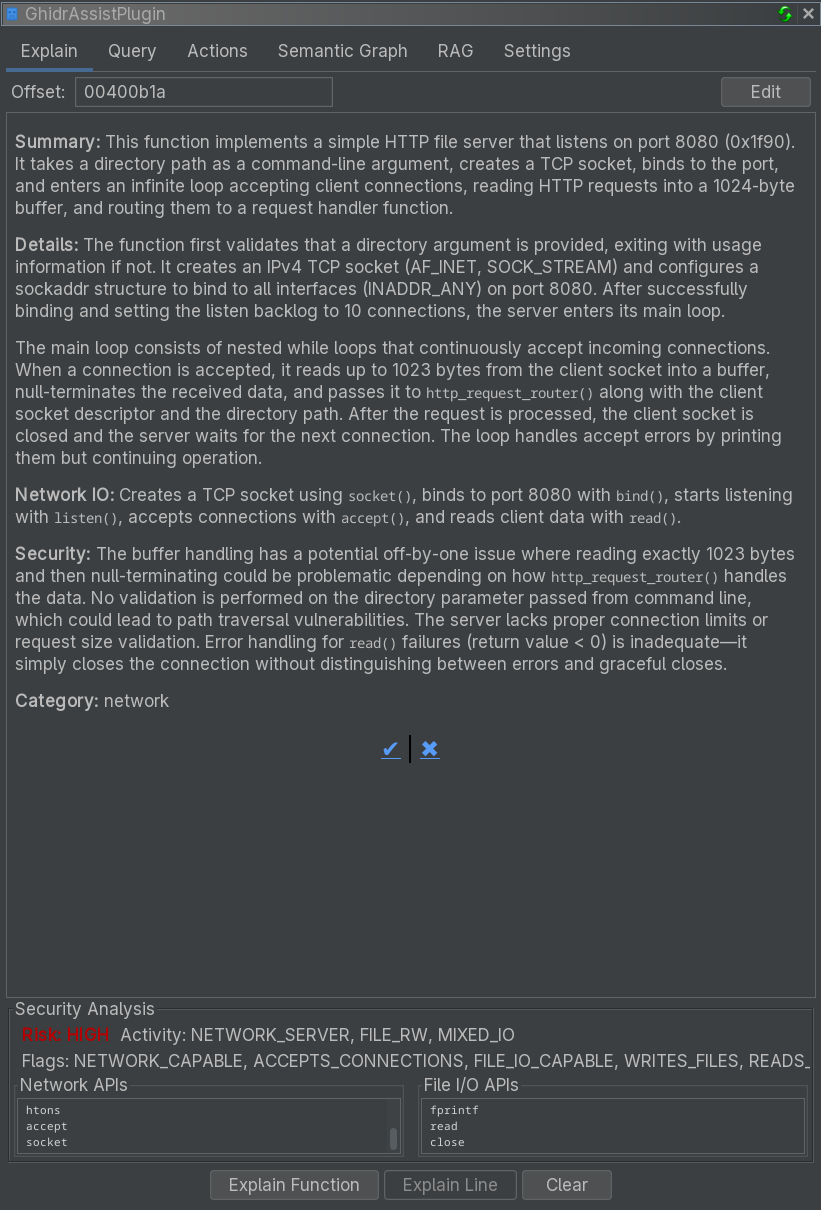
The Explain tab generates and stores LLM-powered explanations of functions, with integrated security analysis and editing support.
Purpose
The Explain tab helps you build a documented understanding of a binary by:
- Generating detailed function explanations
- Providing security assessments and risk indicators
- Storing explanations for later reference
- Allowing you to edit and refine the output
UI Elements
Analysis Buttons
| Button | Description |
|---|---|
| Explain Function | Analyze the entire current function |
| Explain Line | Statement-level analysis (coming soon) |
| Clear | Clear stored analysis for the current function |
Explain Line is currently disabled and marked as coming soon in GhidrAssist.
Enhancement Options
GhidrAssist uses the global settings from the Query tab and Settings tab:
- RAG: Enable document context (see RAG Tab)
- MCP: Enable tool calling for enhanced analysis
Display Area
The main display area renders the LLM response as markdown, including:
- Function purpose and behavior
- Parameter and return value analysis
- Notable implementation details
Security Analysis Panel
| Field | Description |
|---|---|
| Risk Level | Overall security assessment (Low, Medium, High) |
| Activity Profile | Behavior category (e.g., "Network Communication") |
| Security Flags | Detected patterns and risks |
| Network APIs | Network-related calls detected |
| File I/O APIs | File operations detected |
The panel is hidden until analysis data is available.
Edit Mode
Use the Edit button to modify explanations:
- Click Edit to switch to markdown mode
- Modify the content
- Click Save to store changes
Edits are persisted in the analysis database and protected from auto-overwrite.
Feedback
Use the thumbs up/down buttons to provide feedback on explanation quality.
Function Context
The Explain tab tracks the current function based on the Ghidra cursor. If no function is selected, analysis buttons are disabled.
Stored Explanations
Explanations are stored by:
- Binary SHA256 hash
- Function address
This allows you to return to the same function later and see the saved explanation.