IDAssist · Settings
Provider setup, defaults, and plugin configuration.
Settings Tab Reference
Purpose
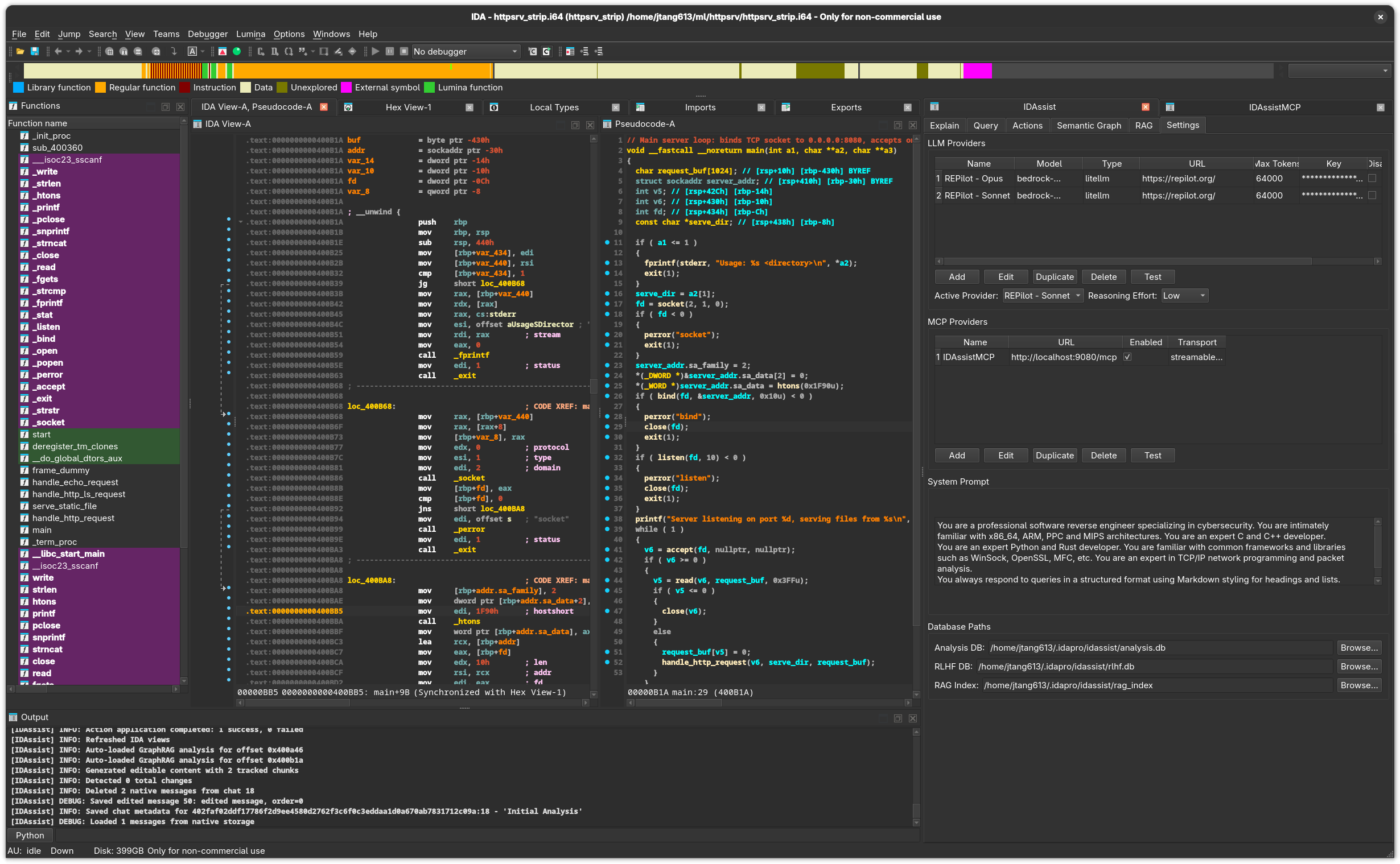
The Settings tab manages LLM providers, MCP providers, SymGraph integration, the system prompt, and database paths. It is the central configuration hub for IDAssist.
LLM Providers
Provider Table
Lists all configured LLM providers:
| Column | Description |
|---|---|
| Name | Unique provider name (e.g., "Claude", "GPT-5.3"). |
| Model | Model identifier (e.g., claude-sonnet-4-6, gpt-5.3-codex). |
| Type | Provider type (see table below). |
| URL | API endpoint URL. |
| Max Tokens | Maximum tokens for requests. |
| TLS | Whether TLS verification is enabled. |
Provider Management Buttons
| Button | Description |
|---|---|
| Add | Open a dialog to configure a new LLM provider. |
| Edit | Modify the selected provider's settings. |
| Delete | Remove the selected provider. |
| Test | Send a test request to verify connectivity and credentials. |
Active Provider
A dropdown selector to choose which LLM provider is used for all Explain, Query, and Actions operations. Only one provider is active at a time.
Reasoning Effort
Controls the extended thinking budget for supported models:
| Level | Token Budget | Description |
|---|---|---|
| None | Disabled | No extended thinking. Standard response generation. |
| Low | ~2K tokens | Light reasoning for straightforward tasks. |
| Medium | ~10K tokens | Moderate reasoning for complex analysis. |
| High | ~25K tokens | Deep reasoning for the most complex tasks. |
Extended thinking is supported by Anthropic models (Claude) and OpenAI reasoning models (o1).
Provider Types
| Type | Auth Method | Streaming | Tool Calling | Notes |
|---|---|---|---|---|
anthropic_platform | API Key | Yes | Yes | Direct Anthropic API |
anthropic_oauth | OAuth (browser) | Yes | Yes | Browser-based auth flow |
anthropic_claude_cli | Local CLI | Yes | Yes | Uses claude CLI binary |
openai_platform | API Key | Yes | Yes | Direct OpenAI API |
openai_oauth | OAuth (browser) | Yes | Yes | Browser-based auth flow |
ollama | None (local) | Yes | Model-dependent | Self-hosted, no API key needed |
litellm | Proxy URL | Yes | Provider-dependent | Multi-provider proxy |
Provider Configuration Fields
When adding or editing a provider:
| Field | Description |
|---|---|
| Name | Unique identifier for this provider. |
| Type | Provider type from the table above. |
| Model | Model ID (e.g., claude-sonnet-4-6, gpt-4o, qwen2.5-coder:32b). |
| URL | API endpoint. Auto-filled for known provider types. |
| API Key | Authentication credential. Encrypted in the settings database. |
| Max Tokens | Maximum tokens per request. |
| Disable TLS | Skip TLS certificate verification (for self-signed certs or local servers). |
MCP Providers
MCP Provider Table
| Column | Description |
|---|---|
| Name | Unique name for the MCP server. |
| URL | Server endpoint (e.g., http://localhost:3000). |
| Enabled | Whether this MCP server is active. |
| Transport | Connection type (HTTP/SSE). |
MCP Management Buttons
| Button | Description |
|---|---|
| Add | Configure a new MCP server connection. |
| Edit | Modify the selected MCP server's settings. |
| Delete | Remove the selected MCP server. |
| Test | Verify connectivity to the MCP server. |
System Prompt
A large text area for customizing the system prompt sent to the LLM with every request. The default prompt instructs the model to behave as a binary analysis assistant. Modify this to:
- Focus the LLM on specific domains (malware, firmware, crypto)
- Set output formatting preferences
- Add standing instructions (always mention CVEs, always use C pseudocode, etc.)
Database Paths
Configure where IDAssist stores its local data:
| Field | Default Path | Purpose |
|---|---|---|
| Analysis DB | ~/.idapro/idassist/analysis.db | Function summaries, security flags, graph data. |
| RLHF DB | ~/.idapro/idassist/rlhf.db | User feedback on LLM responses. |
| RAG Index | ~/.idapro/idassist/rag_index/ | Whoosh search index for uploaded documents. |
Each field has a Browse button to select a custom path. The settings themselves are stored in ~/.idapro/idassist/settings.db.
Related Documentation
- Getting Started — Initial provider setup walkthrough
- Explain Tab — Uses the active LLM provider
- Query Tab — Uses the active LLM provider and MCP servers
- RAG Tab — Uses the RAG index path configured here